





Instagram Story Ad Examples: 25 Formats That Work (and How to Make One)
25 Instagram Story ad examples by format and goal, the specs and safe zones to design for, and a step-by-step guide to creating a Story ad in Ads Manager.
Short answer: the Instagram Story ads that work look like Stories, not like ads. They are vertical (9:16), make one point in the first second, keep text away from the top and bottom of the screen, and end with one clear action such as "Shop now" or "Install". The 25 formats below are the patterns advertisers use most, grouped by goal, with what to show in each frame.
Stories are a full-screen, sound-optional, tap-to-skip feed. Viewers move through them quickly, so a Story ad has very little time to show why it is worth watching. That makes the opening frame, not the offer, the part that decides most results. Each example below says what the first frame should do and what the ad needs to prove afterwards.
Instagram Story ad specs to design for
| Setting | What to use | Why it matters |
|---|---|---|
| Aspect ratio | 9:16 vertical | Fills the screen; anything else gets letterboxed and looks like an ad |
| Resolution | 1080 × 1920 px | Meta's recommended size for Stories placements |
| Safe zone | Keep text and logos out of roughly the top and bottom 14% (about 250 px each) | The profile bar sits at the top and the call-to-action button at the bottom |
| Sound | Design to work muted, add sound as a bonus | Many people watch Stories with sound off |
| Captions | Burned-in captions for any speech | Muted viewers still get the message |
| Length | Check Meta's Ads Guide for current limits; most advertisers keep each Story card short | Each tap forward is a skip, so short cards hold attention |
Meta publishes the current requirements in its Ads Guide. Specs change, so check there before you export a batch.
Awareness: Story ads that stop the tap
1. The reaction open
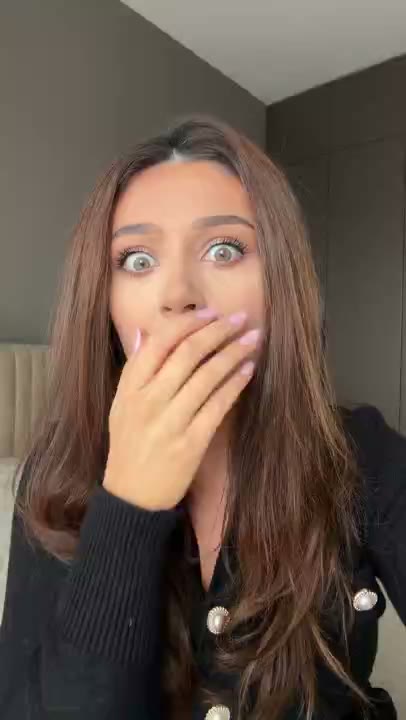
A face reacting (surprised, amazed, confused) fills the first second, a short caption names the situation, then a hard cut to the product. Faces stop the thumb because people read faces before they read text. First frame: the reaction at its peak, not the build-up. Then: the product doing the thing that caused the reaction.
2. The text-message Story
The ad looks like a screenshot of a chat: one friend asks a question, the other answers with your product. It reads as native content because it is a format people already send each other. Keep it to three or four messages, readable in a few seconds.
3. The POV caption
"POV: you finally found a planner that works." A POV line puts the viewer inside a moment they recognise. Pair it with footage that matches the line exactly, or it reads as a trick.
4. The poll sticker opener
Stories ads can include interactive elements such as polls. Ask a question the viewer has an opinion on ("Do you read the terms?") and answer it with your product in the next card. Check which interactive elements Ads Manager currently supports for your objective before planning around one.
5. The behind-the-scenes clip
Packing orders, testing a prototype, a founder at a desk. Raw footage signals a real company. It works best for brands whose story is part of the reason to buy, such as small makers and early-stage apps.
Consideration: Story ads that explain
6. The 3-step how-it-works
Three cards: the problem, the action in your product, the result. Each card carries one sentence. This is the most reliable format for apps and software because it shows the product rather than describing it.
7. The before and after
Split the screen or cut between two states: the messy spreadsheet and the clean dashboard, the old routine and the new one. Only show changes your product actually produces, and label demonstrations as such.
8. The product close-up with text callouts
A slow, steady shot of the product with two or three short callouts appearing one at a time. Good for physical products where texture or detail sells.
9. The comparison card
Two columns: "the usual way" and "with us". Keep claims fair and verifiable; avoid naming competitors unless you can support every line.
10. The screen-recording walkthrough
A vertical screen recording of one task, with a finger tap animation and a caption on each step. Record on a clean demo account and crop to 9:16 so the interface is large enough to read.
11. The FAQ Story
Each card answers one common objection: price, setup time, cancellation. This works well for retargeting people who visited but did not buy, because it addresses why they hesitated.
12. The UGC review
A customer talks to the camera about one specific result. Use real customers with permission, keep it under a few sentences, and add captions. A staged or AI-generated person must never be presented as a real customer.
13. The founder talking head
The founder explains why the product exists in one breath. Works when the founder's credibility is part of the pitch, such as expert-led tools and niche communities.
Conversion: Story ads that ask for the action
14. The offer card
A single clear offer ("First month free", "20% off this week") with the product shown and the call to action. Put the offer in the middle third of the screen, clear of the button.
15. The countdown
A launch or sale with a real deadline. Only use urgency that is true; fake timers erode trust and can break platform policy.
16. The carousel of products
Several cards, each showing one item with its price. Lets the viewer tap through options without leaving the Story.
17. The 'what's in the box'
Unboxing in three cuts: the package, the contents, the first use. Strong for subscription boxes and physical products.
18. The app store moment
Show the app icon, two screens of the actual app, then the install button area. For app installs, matching the ad to the store listing reduces drop-off after the tap.
19. The social proof stack
Star rating, review count and one short quote, each with a source. Use only numbers you can verify.
20. The objection killer
Open with the doubt ("I thought it would take hours to set up") and answer it with a timer on screen showing the real setup time.
Retention and re-engagement
21. The new feature drop
For existing users: one new feature, shown working, with "Update now" or "Try it". Keep it to what changed.
22. The tip of the week
A useful tip using your product, even for people who already own it. Builds goodwill and reminds lapsed users the product exists.
23. The milestone thank-you
"10,000 of you now use this." Real numbers only. Works as light brand building between conversion campaigns.
24. The seasonal angle
Tie the product to a real moment: back to school, New Year planning, holidays. Change the opening frame, keep the product proof.
25. The creator collaboration
A creator uses the product in their own style. Run it as a partnership ad from their handle where possible, which tells viewers it is a paid collaboration.
Which format for which goal
| Goal | Formats to test first | Measure |
|---|---|---|
| Reach new people | Reaction open, POV caption, text-message Story | Thumb-stop rate (3-second views ÷ impressions), cost per 1,000 reached |
| Explain a product | 3-step how-it-works, screen recording, before and after | Average watch time, link clicks |
| Get sales or installs | Offer card, objection killer, app store moment | Cost per purchase or install |
| Win back visitors | FAQ Story, social proof stack, offer card | Return visits, conversion rate |
How to create an Instagram Story ad
- Open Meta Ads Manager and create a campaign. Pick the objective that matches what you want people to do (for example Awareness, Traffic, App promotion or Sales).
- Set the audience and budget at the ad set level.
- Choose placements. Advantage+ placements let Meta decide; manual placements let you select Instagram Stories only. For a Story-specific creative, manual placements make results easier to read.
- Upload a 9:16 video or image at 1080 × 1920. If you use one creative across placements, check the Stories preview so nothing important sits under the profile bar or button.
- Add primary text, a headline and a call-to-action button, plus the destination URL or app link.
- Preview on a phone using the preview link, then publish. Ads go through review before they run.
You can also turn an existing Story into an ad by boosting it from the Instagram app, which is quicker but gives you fewer targeting and measurement options than Ads Manager.
Design rules that apply to every Story ad
- One message per card. If you need two sentences, use two cards.
- Lead with a face or motion. A still product photo is the easiest thing to tap past.
- Text in the middle 70% of the screen, large enough to read on a small phone.
- Brand early but lightly. A small logo or product shot in the first seconds helps recall without making the ad feel like an ad.
- Captions for every spoken word.
- Test one variable at a time. Keep the product footage the same and change only the opening, so you know what moved the result. How to test Facebook ad creatives has the method.
Common mistakes
- Reusing a square feed ad in Stories, leaving bars above and below.
- Putting the offer under the call-to-action button, where it gets covered.
- A slow logo intro before anything happens.
- Five pieces of information on one card.
- Footage that doesn't match the caption, which trains viewers to skip.
For more opening ideas, see video hooks, ad hooks for paid social and reaction hooks by emotion.
Planning the video itself? How to write a video script and what is B-roll cover the script and the supporting shots, and faceless Reels has organic ideas in the same format.
Frequently asked questions
What is an Instagram Story ad?
A full-screen vertical ad that appears between people's Instagram Stories. It can be an image, a video or a set of cards, and it includes a call-to-action button such as Shop now or Learn more.
What size is an Instagram Story ad?
Meta recommends 9:16 at 1080 × 1920 pixels. Keep text and logos out of roughly the top and bottom 14% of the frame so the profile bar and the call-to-action button don't cover them.
How do I make my Instagram Story an ad?
Either boost a Story from the Instagram app, or create a campaign in Meta Ads Manager, choose Instagram Stories as a placement and upload a 9:16 creative. Ads Manager gives more control over targeting and measurement.
How long should an Instagram Story ad be?
Check Meta's Ads Guide for current limits. In practice most advertisers keep each Story card short, so the message lands before the viewer taps forward.
What makes a good Instagram Story ad?
It looks like a Story rather than an ad, makes one point in the first second, works with sound off, keeps text in the safe zone and ends with one clear action.
Where can I see real Instagram Story ads?
In the free Meta Ad Library. Search a brand, then filter the platform to Instagram to see the ads it is running now.