





Faceless Reels: 40 Ideas and How to Make Them (Without Showing Your Face)
40 faceless Reels ideas by niche, six formats that hold attention without a face, how to make them step by step, and the rules for AI and stock footage.
Short answer: faceless Reels replace a face with something else that moves and holds attention: hands doing a task, a screen recording, text over footage, a voiceover, or a stock or AI-generated clip. The formats that work best start with motion in the first second, put the main point in on-screen text, and finish with a clear payoff. Below are six formats and 40 ideas you can adapt.
People choose faceless content for privacy, to run several niche accounts, or because the product, not the person, is the point. The trade-off is that faces are the fastest way to earn attention, so a faceless Reel has to work harder in the opening second. Each idea below says what replaces the face.
The 6 faceless Reel formats
| Format | What's on screen | Works for |
|---|---|---|
| Hands-only | Hands doing the task: cooking, unboxing, writing, building | Food, crafts, products, study |
| Screen recording | A phone or desktop screen with taps and captions | Apps, software, tutorials, money tips |
| Text on footage | Big on-screen text over b-roll or a slow scene | Quotes, lists, facts, storytelling |
| Voiceover + b-roll | Narration over cutaway footage | Explainers, travel, history, reviews |
| Slideshow / carousel-style | A sequence of images with short text | Tips, before-and-after, rankings |
| Stock or AI clips | Licensed footage or AI-generated clips edited together | Hooks, motivational, product ads |
40 faceless Reels ideas
Business, apps and marketing
- Screen-record one shortcut that saves time in a tool your audience uses.
- "3 apps I use every day" with a screen recording of each.
- Before and after of a messy spreadsheet or inbox.
- A one-minute setup tutorial, sped up, with text on each step.
- Text over b-roll: one mistake new founders make.
- Ranking tools in your niche from worst to best.
- A reaction clip opener followed by your app demo.
- Answering a common question with on-screen text and a screen recording.
Lifestyle, home and productivity
- Desk reset in 30 seconds, hands only.
- Sunday planning routine, overhead shot of a notebook.
- "Things I stopped buying" with product b-roll.
- A cleaning hack, hands and before-after.
- Morning routine as a sequence of close-ups.
- Pack with me for a weekend trip.
- Organising one drawer, time-lapse.
- A cozy room tour with text callouts.
Food and recipes
- One-pan recipe, overhead, ingredients appearing as text.
- "What I eat in a day" with plates only.
- Three-ingredient snacks.
- Meal prep for the week, time-lapse.
- Coffee order recreated at home.
- Kitchen tool that changed how you cook.
Education and facts
- A surprising fact with text over relevant footage.
- "Explained in 30 seconds" with a voiceover and simple graphics.
- Study session with you, hands and notes only.
- A word or phrase people use wrong.
- A historical photo with a short story in captions.
- Map animation of a trip or a fact.
Finance and money
- Screen-recorded budget breakdown with numbers blurred where personal.
- "How I'd spend my first $1,000" as text on b-roll.
- One money habit, with a simple chart.
- Comparing two savings approaches side by side.
Motivation, quotes and storytelling
- A quote over calm footage with a voiceover.
- A short story told in five text cards.
- "Things I wish I knew at 20" over b-roll.
- A day-in-the-life of a job, hands and workspace only.
- Reddit-style story read aloud over gameplay or satisfying footage (credit the source where required).
- A rain or ambience loop with a reflective caption.
- A reaction clip with a relatable caption ("Me when the meeting could've been an email").
- A countdown of five tips with one clip per tip.
How to make a faceless Reel, step by step
- Pick one idea and one point. A faceless Reel can't lean on your personality, so the point has to be clear.
- Plan the first second. Start with motion: hands already moving, a screen already scrolling, or a reaction at its peak. No slow intro.
- Write the on-screen text first. It carries the message for people watching muted. Eight words or fewer per screen.
- Film or gather footage. Shoot hands and objects in good window light, screen-record in a clean account, or use licensed stock or AI clips.
- Record a voiceover if the idea needs explaining. Speak close to the microphone and cut pauses.
- Edit in CapCut or Instagram's editor: cut every second that doesn't add, add captions, keep text away from the bottom where the caption and buttons sit.
- End with a payoff or a question that invites a comment or a save.
Hooks that work without a face
- Start mid-action: the hand is already pouring, the screen is already loading.
- Text that names the viewer: "If you work from home, try this."
- A visual question: something odd in frame one that the Reel explains.
- A number: "3 settings to change today."
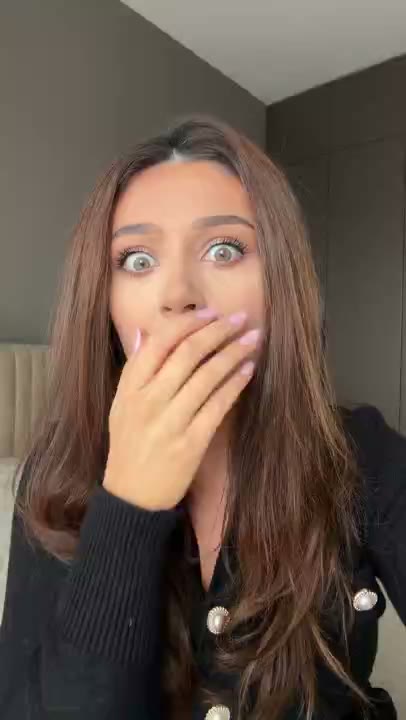
- A borrowed face: a short reaction clip with a caption, then your footage. See reaction hooks.
More openings are in 150+ hook ideas and hooks for Reels.
Using AI and stock footage the right way
- Use footage you have the right to use. Stock sites and clip libraries have licences; check whether they cover your use, especially for ads.
- Label AI-generated content where Instagram's rules require it, and never present an AI person as a real customer or as yourself.
- Don't repost other creators' videos as your own. Reposted content is a common reason for low reach and copyright claims.
- Add your own value: commentary, a list, a lesson or an edit, so the Reel is original even if some footage isn't.
Can faceless Reels make money?
Faceless accounts make money the same way other accounts do: brand deals, affiliate links, selling a product or service, and any creator programmes Instagram offers in your country at the time. Eligibility rules and payouts change, so check Instagram's current professional dashboard rather than relying on screenshots in other people's videos. Brands that run faceless content for their own products use it mainly as a cheap way to test many ideas; see faceless UGC for the brand side.
Making faceless content for brands? See what is a UGC creator. Turning a Reel into an ad? See Instagram Story ad examples.
Frequently asked questions
What are faceless Reels?
Instagram Reels where the creator's face never appears. They use hands, screen recordings, text over footage, voiceovers, slideshows, or stock and AI clips instead.
How do I make a Reel without showing my face?
Pick one point, start with motion in the first second, put the message in on-screen text, then film hands or a screen, or use licensed stock or AI clips. Add a voiceover if needed and edit tightly in CapCut or Instagram's editor.
Do faceless Reels get views?
They can, but they have to earn attention without a face, so the first second matters even more. Motion, a clear text hook and a payoff are what hold viewers.
Which faceless content is best?
The best format is the one that matches your niche: screen recordings for apps and money, hands-only for food and products, text over footage for facts and quotes, voiceover with B-roll for explainers.
Do you get paid for faceless Reels?
Through the same routes as any account: brand deals, affiliate links, your own products and whichever Instagram creator programmes are available in your country. Check Instagram's professional dashboard for current eligibility.
Can I use AI clips in faceless Reels?
Yes, if your licence covers the use and you follow Instagram's AI-content labelling rules. Don't present an AI character as a real person or a real customer.