



What Is B-Roll? A-Roll vs B-Roll Explained, With Examples
What B-roll is, how it differs from A-roll (and C-roll), 25 B-roll shot ideas, how to film and edit it, and how B-roll works in short-form ads and TikTok.

Short answer: B-roll is the supporting footage you cut to while the main story keeps going. A-roll is the main footage, usually someone talking to camera or the core action. B-roll is everything you show over or between it: close-ups, the product being used, the location, hands at work, screen recordings. It makes videos easier to follow, hides cuts in an interview, and keeps viewers watching.
The names come from old film editing, where two reels of footage, A and B, were run together so the editor could cut between them. The labels stuck even though editing is digital now.
A-roll vs B-roll (and C-roll)
| A-roll | B-roll | C-roll | |
|---|---|---|---|
| What it is | The main footage carrying the story | Supporting footage that illustrates it | Extra creative or filler shots, a less standard term |
| Typical example | A creator talking to camera | Close-up of the product they're describing | A stylised transition or abstract shot |
| Audio | Usually carries the dialogue | Often silent; plays under the A-roll audio | Varies |
| Can the video work without it? | No | Yes, but it feels flatter | Yes |
In short-form video, the roles blur. A TikTok can be all B-roll with a voiceover on top, in which case the voiceover is effectively the A-roll.
Why B-roll matters
- It shows what the speaker is describing. "It folds flat" lands harder when you see it fold.
- It hides edits. Cutting to B-roll covers jump cuts when you trim an interview.
- It controls pace. Short B-roll shots add energy; longer ones slow things down.
- It holds attention. A new image every few seconds gives the eye something to follow.
- It adds context: where something happens, who uses it, what it looks like in real life.
25 B-roll shot ideas
Product and app
- Extreme close-up of the product's texture or detail.
- Hands opening the packaging.
- The product in use, filmed from the user's point of view.
- Screen recording of one action in an app.
- A finger tapping a phone screen, filmed over the shoulder.
- The product next to everyday objects for scale.
- A slow push-in on the product on a clean surface.
People and lifestyle
- Walking into a location.
- Hands typing, writing or cooking.
- Feet walking, for travel and routine videos.
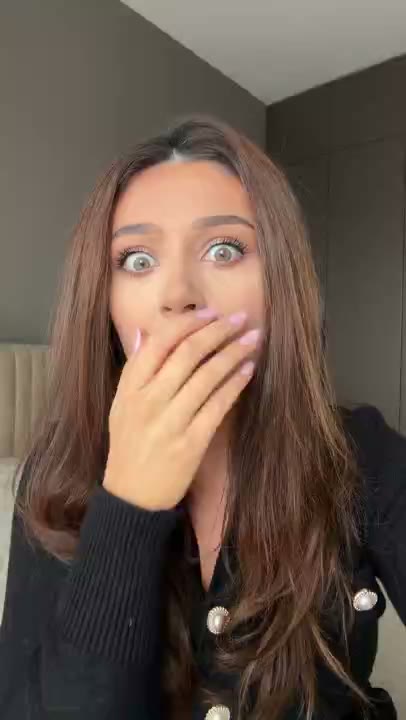
- A reaction: someone looking surprised, laughing or concentrating.
- Two people talking, filmed from behind.
- Pouring a drink or coffee.
Location and atmosphere
- Wide establishing shot of the place.
- Window light, plants, details of the room.
- Street or city time-lapse.
- Weather: rain on a window, sunlight through trees.
- Signage or the shop front.
Process and work
- A step of the process in close-up.
- Tools laid out before starting.
- Time-lapse of a task from start to finish.
- Packing an order.
- Notes or a whiteboard being filled in.
- Before and after of the result.
- A clock or calendar, to show time passing.
How to film good B-roll
- Plan from the script. Every time the A-roll mentions something visual, note a B-roll shot for it.
- Shoot more than you need, in short 5–10 second takes. Editors use two or three seconds of each.
- Vary the size: wide, medium and close-up of the same subject.
- Add slow movement: a gentle push-in, pan or slide makes simple shots look intentional.
- Use soft, even light. A window works better than overhead room lights.
- Match the frame to the platform. Film vertical (9:16) for TikTok, Reels and Shorts.
- Keep a B-roll library. Generic shots of your product, office and hands can be reused across many videos.
How to edit B-roll in
- Cut on the word. Show the B-roll exactly when the speaker names the thing.
- Keep the A-roll audio running underneath; lower any B-roll sound or mute it.
- Cover your jump cuts with B-roll so trimmed sentences flow.
- Change the shot every 2–4 seconds in short-form; hold longer in calmer, longer videos.
- Return to the speaker for key lines, so viewers stay connected to a person.
B-roll in short-form ads
A typical short ad on TikTok, Reels or Shorts is a hook, then proof, then a call to action. B-roll does most of the proving: close-ups of the product, a screen recording of the app, the result on screen. A common structure is a 2–3 second hook (a face reacting, or a creator saying one line), then B-roll of the product doing the thing, with captions carrying the message.
| Second | What's on screen | Role |
|---|---|---|
| 0–3 | A face reacting, or a creator's first line | Hook (A-roll) |
| 3–10 | Product close-ups, screen recording | Proof (B-roll) |
| 10–15 | The result, then the logo or app store screen | Payoff and call to action (B-roll) |
If you're testing ads, keep the B-roll proof the same and change only the opening, so you can see which hook works. One product demo, five ad variations shows the method.
Where to get B-roll
- Film it yourself: the most authentic and the only way to show your exact product.
- Free stock sites such as Pexels and Pixabay for generic scenes. Check each licence, especially for ads.
- Paid stock libraries for higher-end or more specific footage.
- Screen recordings for apps and software.
- Creators: many UGC creators sell B-roll packs alongside their main videos. See what is a UGC creator.
- Clip libraries for specific shots such as reactions used as hooks.
Plan your B-roll while you write with how to write a video script, and see it used in Instagram Story ad examples.
Frequently asked questions
What is B-roll in simple terms?
Extra footage you cut to while the main video continues, such as close-ups, the product being used or the location. It illustrates what the speaker is saying.
What is the difference between A-roll and B-roll?
A-roll is the main footage carrying the story, usually someone talking. B-roll is supporting footage shown over or between it to illustrate the story and cover edits.
What is C-roll?
A less standard term some editors use for extra creative or filler footage, such as stylised transitions or abstract shots, beyond the main A-roll and supporting B-roll.
Is it B-roll or B roll?
Both spellings are used. B-roll with a hyphen is the most common in editing guides.
What is B-roll on TikTok?
On TikTok, B-roll usually means the cutaway shots in a video: product close-ups, hands, screen recordings or scenery, often with a voiceover or captions on top.
How long should B-roll clips be?
Film 5–10 seconds of each shot, but in short-form edits use only about 2–4 seconds of each before cutting to the next.